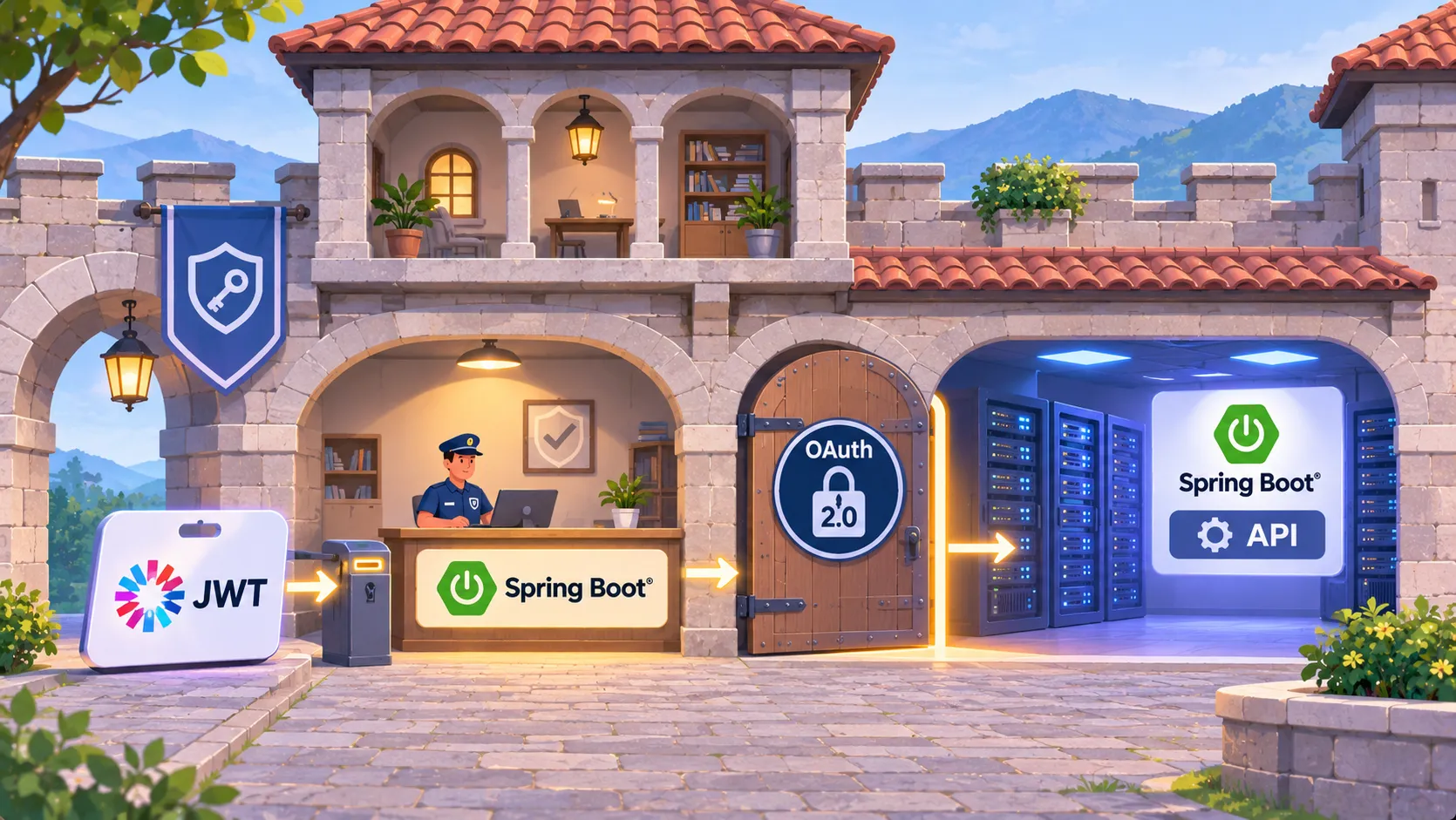
Use this page as a lookup. Your API acts as an OAuth 2.0 resource server: it reads Authorization: Bearer tokens, validates the JWT, and turns scopes into authorities. Method rules such as @PreAuthorize then decide who may call each method.
Versions: Spring Security builds against Spring Framework 7.0.10. Spring Boot manages the Spring Security version through its BOM, so you do not set a version on the starters.
Out of scope: issuing JWTs. Your API only validates tokens from an authorization server. For a custom token, read the official OAuth2 Resource Server pages listed in the references.
Artifacts at a glance
| Need | Artifact | Why |
|---|---|---|
| Default web security | spring-boot-starter-security |
Aggregates the Spring Security dependencies for Boot |
| JWT resource server | spring-boot-starter-oauth2-resource-server |
Boot starter for the resource server feature set |
| Resource server core | spring-security-oauth2-resource-server |
Bearer token support |
| JWT decoding and checks | spring-security-oauth2-jose |
Needed together with the module above for JWT Bearer tokens |
Boot's BOM supplies versions, so leave <version> out. You also need a web starter for your REST controllers. Spring Initializr adds it for you.
<dependencies>
  <dependency>
    <groupId>org.springframework.boot</groupId>
    <artifactId>spring-boot-starter-oauth2-resource-server</artifactId>
  </dependency>
</dependencies>
Configuration: point to the authorization server
| Property | Value | Effect |
|---|---|---|
spring.security.oauth2.resourceserver.jwt.issuer-uri |
The iss claim value of your tokens |
Resource Server discovers public keys and validates incoming JWTs |
The authorization server must support one of these endpoints under the issuer: /.well-known/openid-configuration, or the openid-configuration/issuer or oauth-authorization-server/issuer variants.
Discovery runs at the first request that carries a JWT. Startup does not depend on the authorization server being available.
spring:
  security:
    oauth2:
      resourceserver:
        jwt:
          issuer-uri: https://idp.example.com/issuer
Security configuration class
With issuer-uri set, Boot already configures a JWT resource server that requires authentication for every request. Add this class to make the rules visible and to switch on method security.
| Element | Role |
|---|---|
@EnableWebSecurity |
Activates web security configuration |
@EnableMethodSecurity |
Activates @PreAuthorize and related annotations. Boot does not do this by default |
authorizeHttpRequests |
Request-level rules, here anyRequest().authenticated() |
oauth2ResourceServer with jwt |
Enables JWT Bearer token authentication |
A SecurityFilterChain bean replaces Boot's default web security settings.
package com.example.api;

import org.springframework.context.annotation.Bean;
import org.springframework.context.annotation.Configuration;
import org.springframework.security.config.Customizer;
import org.springframework.security.config.annotation.method.configuration.EnableMethodSecurity;
import org.springframework.security.config.annotation.web.builders.HttpSecurity;
import org.springframework.security.config.annotation.web.configuration.EnableWebSecurity;
import org.springframework.security.web.SecurityFilterChain;

@Configuration
@EnableWebSecurity
@EnableMethodSecurity
public class SecurityConfig {

    @Bean
    public SecurityFilterChain securityFilterChain(HttpSecurity http) throws Exception {
        http
            .authorizeHttpRequests((authorize) -> authorize
                .anyRequest().authenticated()
            )
            .oauth2ResourceServer((oauth2) -> oauth2
                .jwt(Customizer.withDefaults())
            );
        return http.build();
    }
}
Request flow for a JWT
| Stage | Component | What happens |
|---|---|---|
| 1 | Authentication filter | Reads Authorization: Bearer, builds a BearerTokenAuthenticationToken |
| 2 | ProviderManager |
Hands the token to its AuthenticationProvider |
| 3 | JwtAuthenticationProvider |
Uses JwtDecoder to decode, verify and validate the Jwt |
| 4 | JwtAuthenticationConverter |
Converts the Jwt into granted authorities |
| 5 | Result | A JwtAuthenticationToken |
Checks on a well-formed JWT: signature (against the key from jwks_url), the exp and nbf timestamps, and the iss claim.
| Item | Default |
|---|---|
| Scope mapping | Each scope becomes an authority with the prefix SCOPE_ |
Authentication#getPrincipal |
A Spring Security Jwt object |
Authentication#getName |
The JWT sub property, if present |
| Key rotation | Automatic when the authorization server publishes new keys |
Method rules cheat sheet
| Annotation | Runs | Use for |
|---|---|---|
@PreAuthorize |
Before the method | Checks authorities or parameters |
@PostAuthorize |
After the method | Checks the return value, via returnObject |
@PreFilter |
Before the method | Filters input collections |
@PostFilter |
After the method | Filters returned collections |
Expressions from the official examples:
| Expression | Meaning |
|---|---|
hasAuthority('permission:read') |
Caller holds that authority |
returnObject.owner == authentication.name |
Returned object belongs to the caller |
hasAuthority('SCOPE_reports.read') |
Caller's token has scope reports.read (SCOPE_ prefix) |
Rules:
- Annotate any Spring-managed class or method.
- Several annotations on one method run in series.
- A denied call throws
AccessDeniedException.ExceptionTranslationFilterturns it into a 403 response. - Outside an HTTP request, you must handle
AccessDeniedExceptionyourself.
@Service
public class MyCustomerService {

    @PreAuthorize("hasAuthority('permission:read')")
    @PostAuthorize("returnObject.owner == authentication.name")
    public Customer readCustomer(String id) { ... }
}
Protected endpoint example
Replace reports.read with a scope your authorization server issues. The method needs the authority SCOPE_reports.read.
package com.example.api;

import org.springframework.security.access.prepost.PreAuthorize;
import org.springframework.security.core.Authentication;
import org.springframework.web.bind.annotation.GetMapping;
import org.springframework.web.bind.annotation.RestController;

@RestController
public class ReportController {

    @GetMapping("/reports")
    @PreAuthorize("hasAuthority('SCOPE_reports.read')")
    public String list(Authentication authentication) {
        return "reports for " + authentication.getName();
    }
}
curl -i http://localhost:8080/reports \
  -H "Authorization: Bearer YOUR_JWT"
Boot defaults and switches
| Behaviour | Detail |
|---|---|
| Spring Security on classpath | Web applications are secured by default, including /error |
| Default user | Name user, random password printed at WARN level at startup. For development only |
| Change default user | spring.security.user.name and spring.security.user.password |
| Turn off default web security | Add a SecurityFilterChain bean |
Turn off default UserDetailsService |
Add a UserDetailsService, AuthenticationProvider or AuthenticationManager bean |
| Automatic back-off | UserDetailsService auto-configuration backs off when spring-security-oauth2-resource-server is on the classpath |
| Actuator and static rules | EndpointRequest and PathRequest build request matchers |
Opaque tokens use an OpaqueTokenIntrospector instead of a JwtDecoder. See the OAuth2 page for those properties.
References
From Grokem: https://www.grokem.com/programming/web-development/backend/spring-security-jwt-cheat-sheet-secure-a-spring-boot-rest-api-with-method-rules