What you will learn
4- Explain why a single-threaded Node.js process can still handle many requests.
- Describe the roles of the event loop, libuv and the thread pool.
- Predict the order in which synchronous code, promise callbacks and timer callbacks run.
- Recognise code that blocks the event loop and understand why it hurts every request.
Node.js is single-threaded by default and uses an event loop to handle concurrency efficiently. That sentence hides a lot of machinery. This piece takes it apart one question at a time, starting from what concurrency means and ending with code that proves each claim.
The examples use plain JavaScript only. Thread pool settings and the exact phases of the loop are not covered here. For those, read the official Node.js documentation for the version you run.
What does concurrency mean here?
Concurrency is the ability of different parts or units of a program, algorithm or problem to be executed out of order or in partial order. It is about managing many tasks that overlap in time.
It is not the same as parallelism. Parallelism means two things run at the same instant on different CPU cores. A program can be concurrent on one thread: it starts task A, switches to task B while A waits, and comes back to A later.
Node.js relies on this idea. Most server work is waiting: for a network reply, a disk read or a database answer. If you spend that waiting time on other work, one thread goes a long way.
Is Node.js really single-threaded?
Your JavaScript is. By default, Node.js runs your code on one thread and uses an event loop to handle concurrency.
That does not mean the whole process uses one thread. Slow input and output work is handed off so that your thread does not sit and wait. Part of that work is done by other threads, which you meet again in the thread pool section.
So the accurate statement is this: one thread runs your JavaScript, and other parts of the runtime do the waiting for it.
What is the event loop?
The event loop is a loop that picks the next ready callback and runs it on your single thread. It repeats for as long as there is work pending.
Think of a cook with many pots. The cook never stares at one pot. The cook starts a task, sets it aside, and reacts when something is ready.
Two rules follow from this:
- Only one callback runs at a time, so two pieces of your JavaScript never run at the same instant.
- A callback runs to the end before the loop can pick the next one, so a long callback holds up everything else.
What does libuv do?
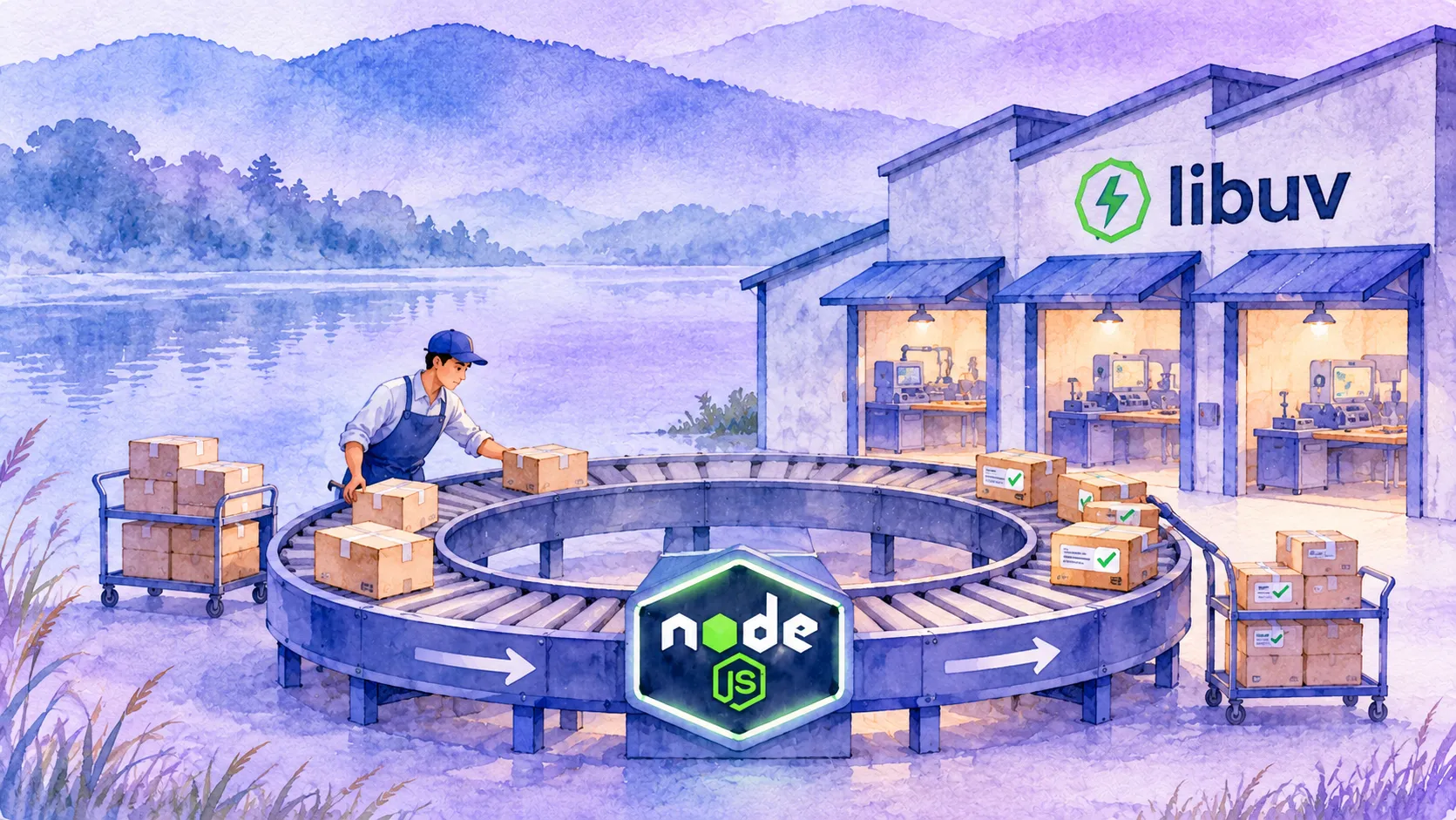
libuv is the library underneath Node.js that provides the event loop and the machinery for non-blocking I/O. When your code asks for a network or file operation, Node.js passes the request to libuv and moves on.
libuv then arranges for the operation to be done and queues a callback when it finishes. The event loop picks up that callback and runs it on your thread.
This is why you write callback or then instead of waiting in a line of code. The result arrives later as an event, not as a return value.
What is the thread pool for?
A non-blocking I/O task is pushed to another queue, and tasks in that queue wait to be done by threads. That group of worker threads is the thread pool.
The flow for a slow operation looks like this:
- Your code starts the operation and registers a callback.
- The operation is handed to a worker thread, so your thread is free.
- The worker finishes and puts the callback in a queue.
- The event loop runs the callback on your thread.
Your JavaScript still runs in one place. Only the waiting and the low-level work happen elsewhere.
The size of the pool and how to change it are not covered here. Check the official Node.js documentation for the version you use before you tune it.
In what order do callbacks run?
Synchronous code runs first, to the end. Then promise callbacks run. Then timer callbacks run, even a timer set to 0 milliseconds.
Run this file and compare the numbers with the output.
console.log("1 start");

setTimeout(() => {
  console.log("4 timer callback");
}, 0);

Promise.resolve().then(() => {
  console.log("3 promise callback");
});

console.log("2 end of synchronous code");
What happens when you block the loop?
Everything else waits. A timer can only fire when the loop is free to run its callback.
This example asks for a timer after 10 milliseconds, then keeps the thread busy for 200 milliseconds. The timer is late by about 190 milliseconds, because the loop cannot run it until the busy code ends.
In a server, the same effect means every other request waits while one request does heavy synchronous work.
const start = Date.now();

setTimeout(() => {
  console.log(`timer fired after ${Date.now() - start} ms`);
}, 10);

while (Date.now() - start < 200) {
  // busy loop: nothing else can run on this thread
}

console.log("blocking loop done");
How does one thread serve many requests?
It starts each task, lets it wait, and handles whichever finishes first. The waits overlap, so the total time is close to the longest wait, not the sum.
This example starts three waits of 300, 200 and 100 milliseconds together. They finish in reverse order of how you started them, and the total is about 300 milliseconds, not 600.
A web server works the same way. While request one waits for a database, the loop accepts and starts request two.
const wait = (ms, label) =>
  new Promise((resolve) => {
    setTimeout(() => {
      console.log(`${label} finished`);
      resolve(label);
    }, ms);
  });

const start = Date.now();

Promise.all([wait(300, "A"), wait(200, "B"), wait(100, "C")]).then(() => {
  console.log(`all done after about ${Date.now() - start} ms`);
});
What about heavy CPU work?
The model works for waiting, not for computing. A long calculation in your JavaScript holds the loop, exactly as the busy loop did above. The thread pool does not help, because that work is not I/O handed off to a worker.
Node.js has ways to use more than one thread for such work. The pages used for this explainer do not describe those APIs, so look them up in the official Node.js documentation before you rely on them.
For now, keep each callback short and let I/O wait in the background.
Glossary
- Concurrency
- The ability of parts of a program to be executed out of order or in partial order, so that many tasks overlap in time.
- Event loop
- The loop that picks the next ready callback and runs it on the single JavaScript thread.
- libuv
- The library under Node.js that provides the event loop and non-blocking I/O.
- Thread pool
- A group of worker threads that do queued work, such as slow I/O tasks, so the main thread stays free.
- Non-blocking I/O
- Input and output that starts an operation and returns at once, delivering the result later through a callback.
- Blocking
- Code that keeps the thread busy so the event loop cannot run any other callback.
Frequently asked questions
Is Node.js single-threaded or multi-threaded?
Node.js runs your JavaScript on a single thread by default and uses an event loop for concurrency. Slow I/O tasks are queued and done by worker threads, so the runtime as a whole is not limited to one thread.
How does Node.js handle thousands of requests on one thread?
It starts each request, lets it wait for I/O, and runs the callback of whichever task finishes. Waits overlap, so the thread is rarely idle while work is available.
What is libuv in Node.js?
libuv is the library under Node.js that provides the event loop and non-blocking I/O. Node.js passes I/O requests to it and gets callbacks back when they finish.
Why does a long loop freeze my Node.js server?
A callback runs to the end before the event loop picks the next one. A long synchronous loop holds the only JavaScript thread, so every other request waits.
Does the thread pool make my JavaScript run in parallel?
No. The thread pool does queued I/O work in the background. Your own JavaScript callbacks still run one at a time on the main thread.
Next steps
- Read the event loop page on MDN to compare the browser model with Node.js.
- Read the official Node.js documentation on the event loop phases and on the thread pool size for your version.
- Read the official Node.js documentation on running CPU-heavy work on extra threads.
- Look for synchronous loops in your own request handlers and measure how long they hold the thread.
References
From Grokem: https://www.grokem.com/programming/web-development/backend/nodejs-event-loop-explained-how-libuv-and-the-thread-pool-handle-concurrency