Two page views for one page load inflate every metric built on them: page views, visits per visitor, bounce rate, conversion rate per page view. Adobe Analytics reports the calls it receives, and Adobe's documentation describes no automatic clean-up of duplicate page views, so a duplicate has to be stopped at the source.
This guide shows how to confirm that duplicates are real, the places in an Adobe Launch (Tags) property where they come from, and how to fix each one. It is written for the Adobe Analytics extension in a web property, including single-page applications.
Confirm that the duplicates are real
Do this before changing anything. Open the page with the browser's Network panel running, filter for /b/ss/ (the path of the Analytics image request) and reload. Then look at what you have:
- One request per page load is correct.
- Two requests with the same page name are duplicate page views.
- A second request that is a link call is not a duplicate page view. The Send Beacon action of the Analytics extension has two options: Increment a pageview (
s.t()) and Do not increment a pageview (s.tl()). Only the first adds a page view. A link call that carries a link name and no page view is a custom link, and may be legitimate.
The Experience Platform Debugger's Analytics view shows each call too, which can make a side-by-side comparison easier. If the two calls differ in their variables, they probably come from two different rules, which is the first clue to the cause.
On a single-page application, repeat the check while moving between routes: one navigation should produce one page view request, and the first load should produce exactly one.
Where a second page view comes from
Work through these in order; they are listed from the most common to the least.
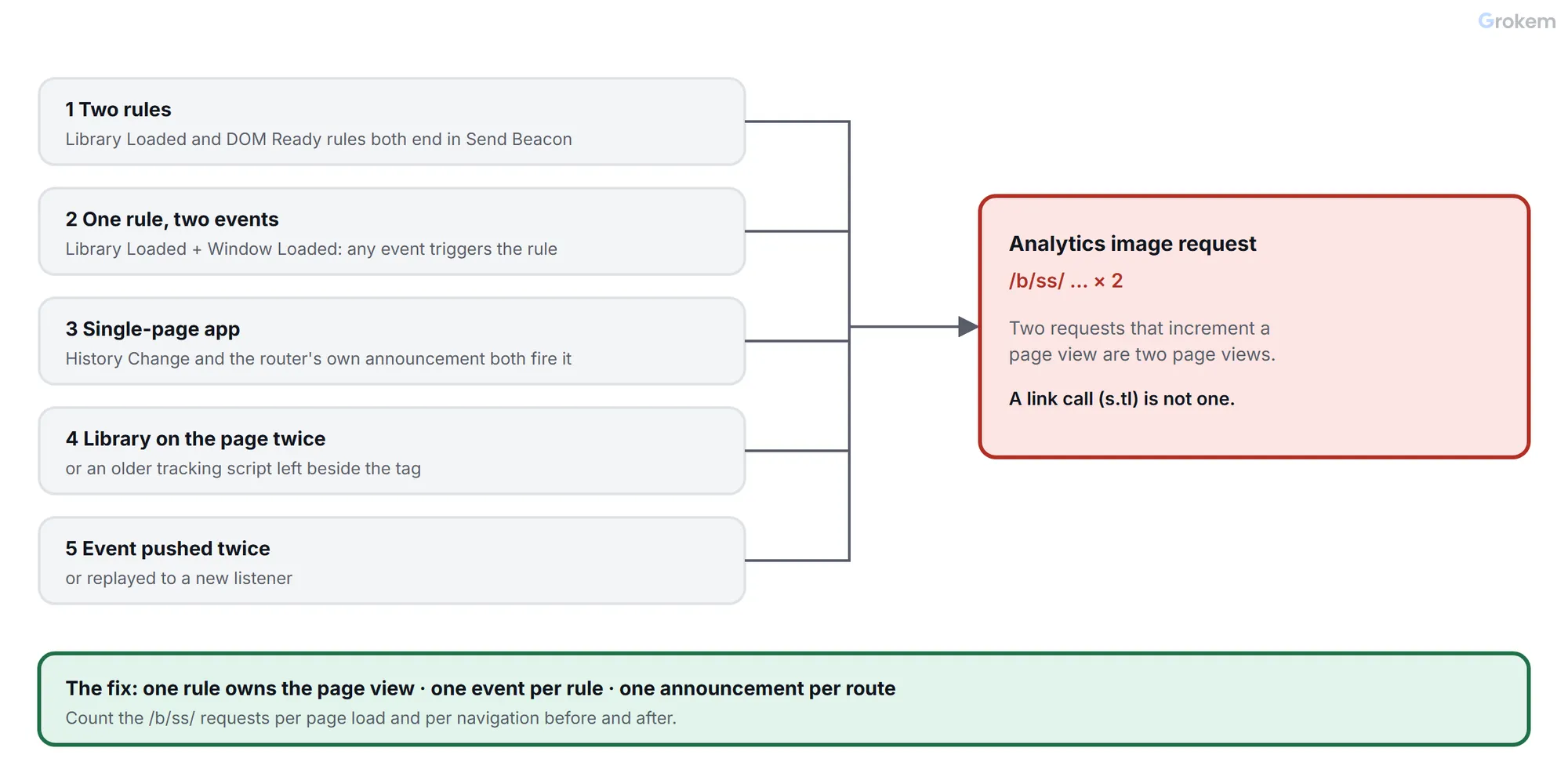
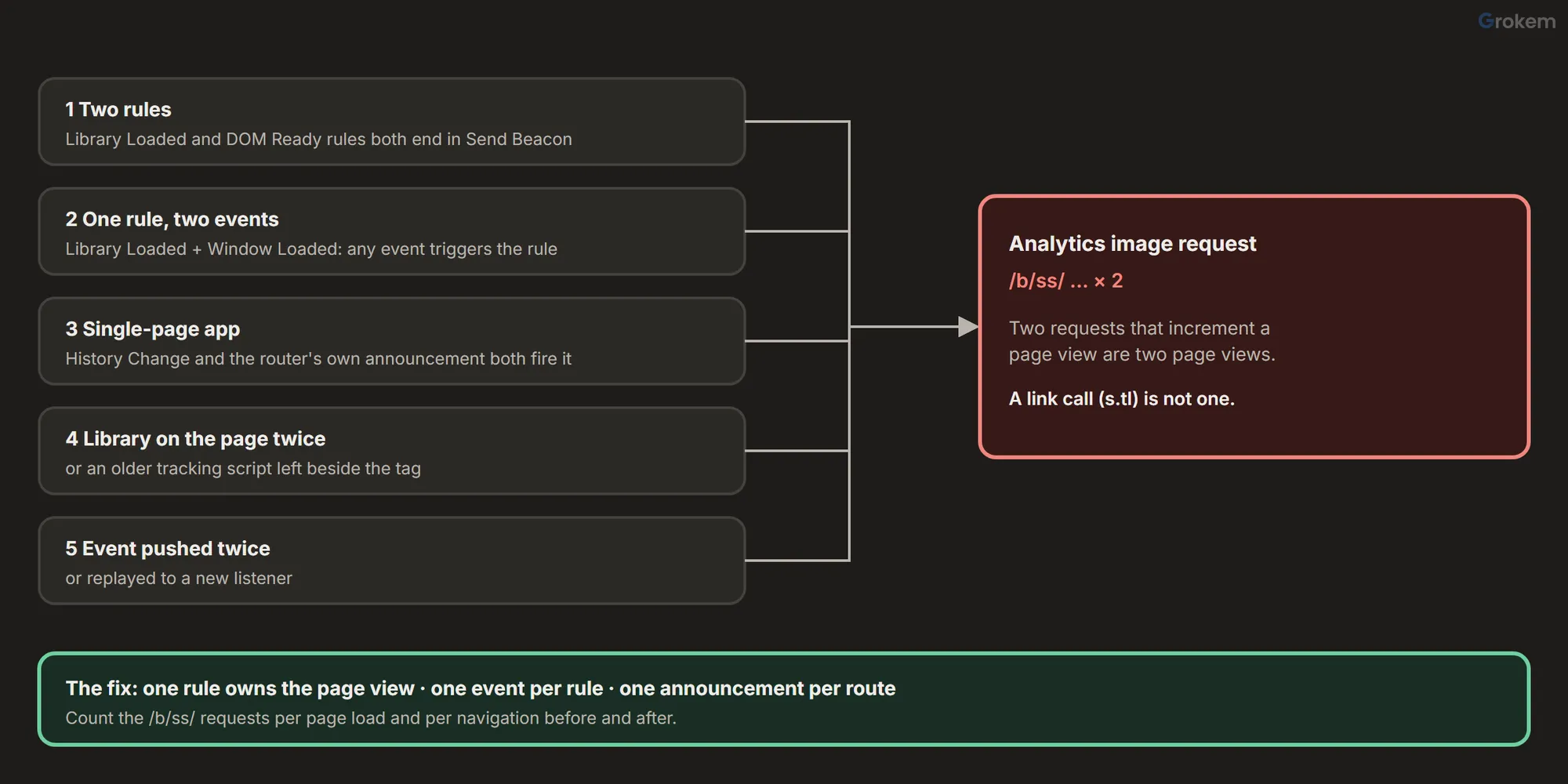
1. Two rules send the page view
A site that has been maintained by several people often has an "All pages – Library Loaded – page view" rule and, somewhere, a second rule on DOM Ready or Window Loaded that also ends in Send Beacon. Both are correct on their own and wrong together.
Find it: list the rules with Send Beacon actions and compare their events. Two page view rules on events that both occur during one page load will both run.
2. One rule has several events
When a rule has more than one event, any of the specified events triggers it. A rule with Library Loaded and Window Loaded runs once for each, so a single page load sends two beacons.
Find it: open each page view rule and read its event list.
3. A single-page application tells the library twice
In a single-page application the page does not reload, so a page view has to be triggered by a navigation event. The History Change event in the Core extension fires on a pushState or hashchange. If the application also announces each route with its own event or Direct Call, a navigation fires the page view rule twice, once from each path.
Adobe's guidance on single-page applications, written for the Web SDK but applying to any collection setup, names four typical causes of duplicates: both history and router listeners fire, page views are triggered on component mount, state updates retrigger events, and the initial load fires twice. It recommends that the router be the authoritative publisher of navigation events into the data layer, with history listeners as a fallback only.
Find it: move between three routes with the Network panel open and count requests per navigation.
4. The library or the tracking code is on the page twice
If the same library is loaded twice, or an older hard-coded tracking script is still on the page next to the tag, each one sends its own page view.
Find it: in the Network panel, filter for the library's file name and for AppMeasurement. One library file is expected. Two requests for the same file, or a tracking script that is not part of your property, mean two senders.
5. An event is pushed or replayed twice
If a rule listens to a data layer event, anything that pushes that event twice, or replays events that already happened to a new listener, runs the rule twice.
Find it: turn on _satellite.setDebug(true), reload and read the log: the same rule name twice in a row for one navigation is the sign.
Fix it at the source
One owner for the page view
Decide which single rule sends the page view and remove the page view from every other rule. Name it so that nobody adds another: "All pages – Page view – send beacon". Keep its event list to one event.
For a single-page application, one route announcement
Pick one source for navigation: the router. Have it update the data layer first and then announce the navigation once (a Custom Event or a Direct Call). The page view rule listens to that one announcement and not to History Change. If you do keep History Change, use it as the only trigger and make sure the application does not also announce the route itself.
The extension's own advice for a page that sends more than one beacon is to rely on rules to set and clear variables, because the tracking object is created once per page. So the rule's actions, in order, are:
- Clear Variables, so nothing from the previous beacon carries over.
- Set Variables, from data elements that read the new route.
- Send Beacon, with Increment a pageview (
s.t()).
A safety net, not a fix
The Core extension has a Max Frequency condition that caps how often a condition returns true, in units such as page views, sessions, visitors and time periods, and it needs the Visitor API to be enabled. It can limit a rule, but a single-page application has few real page views, so test any such limit with real navigations before you trust it.
If you need a guard while you find the cause, a Custom Code condition can refuse to send the same address twice in a row:
// Core – Custom Code condition: block a second page view for the same address
var address = location.pathname + location.search;
if (window.lastPageViewAddress === address) {
  return false;
}
window.lastPageViewAddress = address;
return true;
The price is that a real second view of the same address, such as a reader pressing the same menu item twice, is dropped too, and the variable resets on every reload. Treat it as a temporary guard and remove it once the real cause is fixed.
Check that it is fixed
- Reload a page with the Network panel filtered for
/b/ss/: one page view request. - Navigate across three routes, if the site is a single-page application: one request each.
- Open the Debugger's Analytics view and compare the variables of the call with your design.
- With
_satellite.setDebug(true), confirm that exactly one rule logs for each navigation. - Compare page views per day in Analytics before and after the fix. Expect a step down on the day the fix goes live.
Page views that were already counted twice stay in the reports. Adobe's pages describe no automatic removal of identical page view beacons, and community answers say each call is counted. Segments and processing rules are workarounds for the history, not a fix for the future. Note the date of the fix on your reports so a reader can explain the step.
Keep it from coming back
- Give every rule that sends a beacon a name that says which beacon.
- Put a page view check into every release: one request per page load on three pages.
- Audit the property regularly; the Adobe Launch audit lists this under its output check.
- If the page view needs data that arrives late, fix the timing instead of sending twice: why a data element is empty explains how.
Troubleshooting
| Problem | Likely cause | Fix |
|---|---|---|
| Two page view requests are sent on the first load of every page. | Two rules both end in Send Beacon with the page view option, usually one on Library Loaded and one on DOM Ready or Window Loaded. | List the rules with a Send Beacon action, keep one as the owner of the page view and remove the page view from the others. |
| One rule sends two page views on every load. | The rule has more than one event, such as Library Loaded and Window Loaded. Any of the specified events triggers the rule, so it runs for each. | Keep one event in the page view rule. |
| On a single-page application, each route change sends two page views. | Both the History Change event and the application's own route announcement trigger the rule. | Choose one source. Make the router update the data layer and announce each navigation once, and have the rule listen only to that announcement. |
| On a single-page application, the first load sends two page views. | The initial load is counted by the page load rule and again by the router's first navigation event. | Skip the router announcement for the initial route, or skip the page load rule on single-page pages, so one of them owns the first view. |
| The duplicate appears only in production, not in development. | The live page loads something the test page does not: a second library, an older tracking script or a second embed code. | In the Network panel on the live page, filter for the library file and for AppMeasurement. One library file is expected. |
| Two requests are sent, but only one adds a page view. | The second is a link call (`s.tl()`), sent by a rule that uses the Send Beacon option 'Do not increment a pageview'. It is not a duplicate page view. | Check each request's variables. Leave legitimate link calls alone and fix only the calls that increment a page view. |
| The duplicates started after a release and nobody remembers changing the rules. | A rule was copied or a second event was added to an existing rule. | Open the rule, use Compare Revisions to see what changed, and read the audit log for `rule.updated` and `rule.created` events around the date. |
| Values from the previous beacon appear on the next one. | Variables are not cleared between beacons. The tracking object is created once per page, so a page that sends several beacons keeps its values. | Run Clear Variables first, then Set Variables, then Send Beacon, in every rule that sends a beacon. |
| A guard that blocks a repeated address also blocks real views. | The guard cannot tell a duplicate from a reader who opens the same address twice. | Use the guard only while you find the cause, then remove it and fix the source of the second trigger. |
| Page views drop by about half the day the fix goes live. | The earlier numbers were doubled. Adobe describes no automatic clean-up of duplicate page view beacons, so the history stays doubled. | Note the date of the fix on the reports so readers can explain the step. |
Frequently asked questions
Does Adobe Analytics remove duplicate page view beacons automatically?
Adobe's documentation describes no automatic removal, and community answers say every call is counted. Treat each request as counted and stop duplicates at the source.
How can I tell a duplicate page view from a link call?
The Send Beacon action has two options: Increment a pageview, which uses `s.t()`, and Do not increment a pageview, which uses `s.tl()`. Only the first adds a page view. Compare the variables of the two requests and look at the rule that sent each.
Should I use History Change or a custom event for single-page applications?
Pick one trigger. History Change fires on a pushState or hashchange. Adobe's single-page guidance names the router as the authoritative source of navigation events, with history listeners as a fallback, so announce navigation from the router when you can control it.
Can I use Max Frequency to stop duplicates?
It caps how often a condition returns true, in units such as page views, sessions, visitors and time periods, and it needs the Visitor API. It can act as a safety net, but test it with real navigations on a single-page application before relying on it.
Why clear variables before setting them?
The extension's overview says the tracking object is initialized once per page, so a page that sends more than one beacon should clear and reset its variables in rules. Without clearing, values from one beacon can reach the next.
References
- Adobe Analytics extension overview – Adobe
- Core extension overview – Adobe
- Rules – Adobe
- Data layers and SPAs: page view and event patterns – Adobe
- Compare Resource Revisions – Adobe
- setDebug() – Adobe
- Debugging methods – Adobe
- Audit events endpoint – Adobe
- Exclude duplicate page view image beacon events – Adobe Experience League Community
From Grokem: https://www.grokem.com/data/data-analytics/tag-management/fix-duplicate-page-views-in-adobe-launch-with-the-analytics-extension